Troubleshooting Esimo Activation Issues in Thailand 2026
10/8/2026
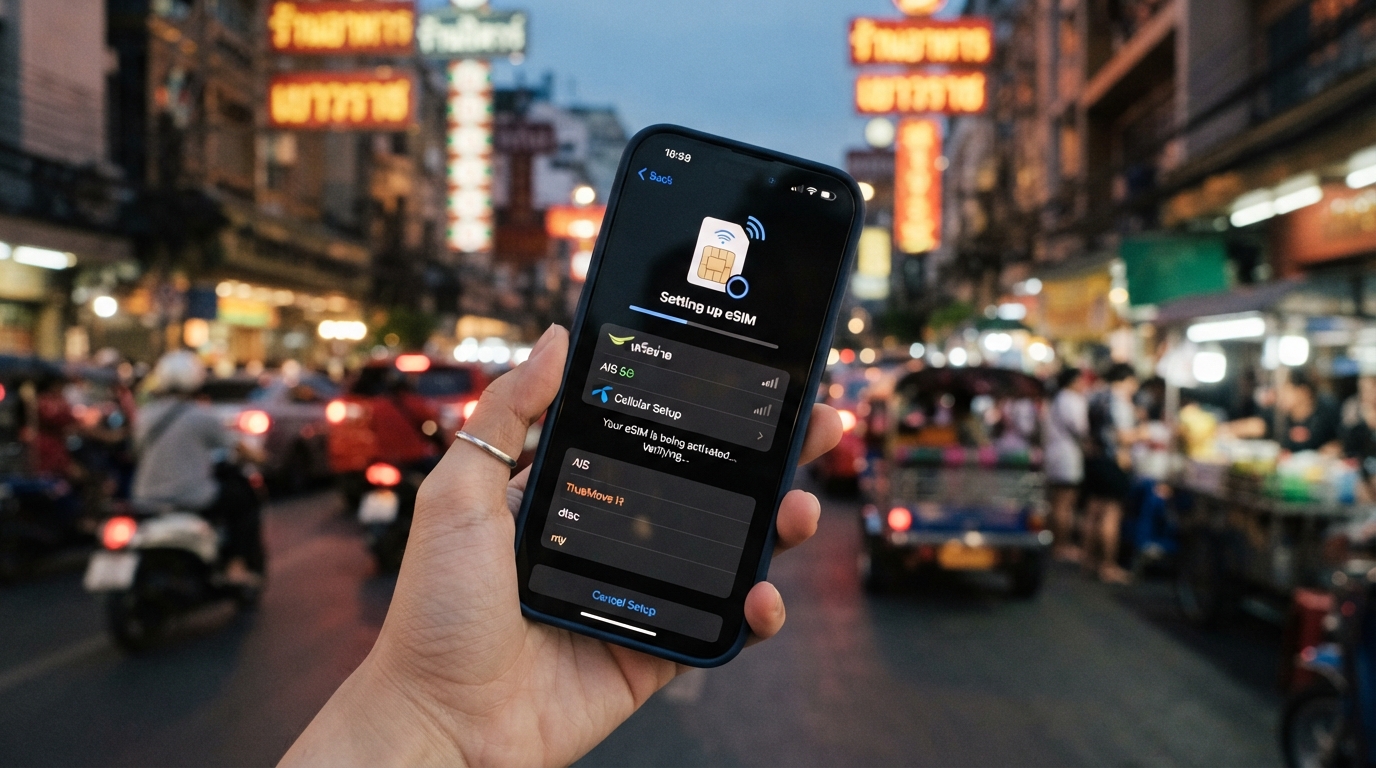
Troubleshooting Esimo Activation Issues in Thailand: How to Get Connected Smoothly
Activating an eSIM like Esimo in Thailand can sometimes hit snags that leave you offline when you most need data. Whether it’s a glitch in the Esimo software, a problem with the Esimo platform, or confusion around the activation steps, these issues can disrupt your travel plans or remote work.
I always start by pinpointing the exact step where activation stalls because the cause often dictates the fix. Here’s a practical guide to what commonly goes wrong with Esimo activation and how to resolve it, ensuring seamless mobile data connectivity during your stay in Thailand.
Common Activation Pitfalls With Esimo and How to Fix Them
QR Code Scan Failures and Network Recognition Issues
One of the most frequent problems is failing to scan or register the Esimo QR code properly. The Esimo system relies on scanning a QR code that contains your eSIM profile.
If this step fails, your phone won’t download the profile, and no data connection will be established.
- Condition: Using a phone camera or scanner app that doesn’t support eSIM QR codes.
- Mechanism: The phone’s native eSIM activation feature requires a direct scan through settings, not third-party apps.
- Consequence: The phone either doesn’t recognize the code or downloads an incomplete profile.
How to fix: Use your phone’s built-in eSIM activation interface (Settings > Cellular > Add Cellular Plan) rather than a generic QR scanner app. For iPhones running iOS 14 or later and Android phones with eSIM support, this method triggers the Esimo user interface correctly and initiates profile download.
Another trap is poor network recognition after scanning. Sometimes, the Esimo dashboard shows activation success, but your device fails to connect to local networks like AIS or TrueMove H in Thailand.
- Condition: Device roaming settings are disabled or restricted.
- Mechanism: Without roaming enabled on an eSIM profile designed for international use, the phone won’t latch onto foreign networks.
- Consequence: No mobile data despite successful profile installation.
My advice: Always check that roaming is enabled for your Esimo data plan in your device settings. This is especially critical for multi-country plans where local Thai networks are accessed as roaming partners.
Software Compatibility and Device Limitations
The Esimo application supports 3G, 4G, and 5G connectivity but only on devices compatible with eSIM profiles. A common mistake is trying to activate Esimo on phones without eSIM hardware or outdated operating systems.
- Condition: Using devices without embedded SIM hardware or running OS versions below iOS 12.1 / Android 10.
- Mechanism: The Esimo system requires hardware-level support for eSIM profiles and software APIs to manage them.
- Consequence: Activation fails outright or the profile installs but never activates.
How I handle this: Before purchasing an Esimo plan, verify your device’s compatibility with official sources like Apple’s eSIM support page or Google’s Android documentation. The GSMA specification SGP.22 governs remote eSIM provisioning, so devices compliant with this standard generally work well.
Profile Download Timing Out or Getting Stuck
Sometimes, after scanning the QR code, the profile download hangs indefinitely. This often happens due to unstable internet connections during activation or server-side delays on the Esimo platform.
- Condition: Weak Wi-Fi or cellular signal during profile download.
- Mechanism: The device attempts to fetch the profile from Esimo servers but times out due to poor connectivity.
- Consequence: The activation process stalls; no usable data plan is installed.
The practical fix: I always recommend starting activation in a place with strong Wi-Fi or stable cellular coverage before heading out. If stuck, restart your phone and retry scanning the QR code using the official Esimo app or system settings interface.
The Esimo Help Center provides video guides that can clarify these steps visually.
Navigating Esimo’s User Interface and Integration Tools
The Esimo user interface is designed for simplicity but can confuse first-time users who expect a traditional SIM card setup. Understanding how to interact with the Esimo dashboard and integration tools helps avoid common errors.
Managing Multiple Profiles and Switching Plans
Esimo allows multiple profiles on one device but only one active at a time. A frequent oversight is trying to activate a new plan without deactivating an existing one.
- Condition: Multiple eSIM profiles installed simultaneously.
- Mechanism: Devices prioritize one active profile; others remain dormant unless manually switched.
- Consequence: New data plans appear inactive even though installed.
My tip: Use the Esimo dashboard or device cellular settings to switch between profiles explicitly. This ensures you’re connected via the intended plan without conflicts.
Understanding Data Usage Tracking and Dashboard Alerts
The Esimo solution includes real-time data analysis visible through its dashboard. Users sometimes ignore alerts about data caps or expiration dates until connectivity drops unexpectedly.
- Condition: Data limits reached without notification acknowledgment.
- Mechanism: Once data allowance is exhausted, mobile data is cut off until renewal.
- Consequence: Sudden loss of internet access mid-trip.
What I do: Regularly monitor usage via the Esimo application’s dashboard and set reminders before data expiry. This proactive approach prevents surprises and keeps you online continuously.
Practical Tips for Smooth Activation of Esimo in Thailand
-
Prepare Your Device Settings First
Enable roaming and ensure airplane mode is off before scanning any QR code. Disable VPNs temporarily as they may interfere with profile download. -
Use Official Activation Channels
Always activate through your phone’s native cellular settings or the official Esimo app rather than third-party QR scanners or unofficial apps. -
Check Network Compatibility
Confirm that your chosen plan supports Thai networks like AIS, TrueMove H, or dtac—these are essential for reliable coverage across Bangkok, Chiang Mai, Phuket, Krabi, and Koh Samui. -
Restart Your Device After Installation
A reboot often resolves lingering connection issues by refreshing network registration with local towers. -
Keep Your Software Updated
Operating system updates frequently improve eSIM handling; neglecting updates can cause unexpected failures during activation. -
Consult Official Resources When Stuck
The Esimo Help Center offers detailed troubleshooting articles and video guides tailored for common activation issues.
Why Some Users Confuse “Esimo” With Other Platforms
If you’re searching “esimo” wondering whether it’s an app, company, or tool: it’s primarily a digital platform offering global eSIM connectivity with instant activation across 200+ destinations including Thailand. It’s not just software but an integrated solution combining:
- The Esimo software for managing profiles,
- An intuitive user interface,
- Integration tools for seamless switching between plans,
- A dashboard providing real-time data analysis,
- And customer support focused on travel use cases.
This comprehensive approach differentiates it from standalone apps that only sell SIM cards without managing connectivity dynamically.
For travelers like me who rely on constant internet access while hopping between cities in Thailand, understanding these components helps avoid frustration during setup and use.
When To Consider Alternative Providers for Thailand eSIM Plans
While Esimo offers competitive plans and convenience—MyBestSim ranks it #14 among providers with a 4/5 rating—some users might prefer other options depending on price sensitivity or specific coverage needs.
Here are some alternatives worth considering based on MyBestSim rankings:
| Provider | MyBestSim Rank | Rating | Promo Code | Discount |
|---|---|---|---|---|
| Roamic | 1 | 4.9 | MYBESTSIM | -10% unlimited |
| Orange Travel | 3 | 4.7 | MYBESTSIM | -5% unlimited |
| LinkeSIM | 4 | 4.5 | MYBESTSIM | -5% unlimited |
| Yatelo | 12 | 4.2 | MYBESTSIM | -15% unlimited |
| Maya | 15 | 4.2 | MYBESTSIM | -10% unlimited |
Choosing between these depends on factors like duration of stay (some offer better short-term deals), network preference (AIS vs dtac), and budget constraints.
If you want detailed comparisons of these providers’ plans for Thailand specifically, I recommend checking out this thorough guide on how to get an eSIM in Thailand which breaks down options by price and coverage quality.
Avoiding Common Mistakes That Cause Activation Delays
A costly mistake I often see is impatience during activation steps—interrupting downloads prematurely or toggling airplane mode repeatedly can corrupt profile installation on some devices due to incomplete writes in embedded SIM memory chips.
Another trap lies in ignoring device-specific quirks: some Android models require manual APN (Access Point Name) configuration post-installation because their default settings don’t auto-configure with every operator profile downloaded via Esimo integration tools.
Lastly, trying to activate multiple profiles simultaneously without waiting for confirmation from each step leads to conflicts that require resetting network settings—a time-consuming process best avoided by following instructions sequentially as outlined by the official Esimo Help Center.
Getting your Esimo activated smoothly in Thailand hinges on respecting these technical details: use native system tools for scanning QR codes; enable roaming; confirm device compatibility per GSMA SGP.22 standards; monitor data usage actively via the dashboard; and leverage official resources when troubleshooting stalls occur. With these insights from my experience comparing AIS, TrueMove H, and dtac plans across Thai destinations, you’ll avoid common pitfalls that disrupt connectivity—and stay online wherever you roam next.
FAQ
How do I fix QR code scan failures with Esimo?
Use your phone’s native eSIM activation feature in settings instead of third-party QR scanner apps. This ensures the Esimo profile downloads correctly and avoids incomplete or unrecognized scans.
Why won’t my device connect to Thai networks after activation?
Check that roaming is enabled on your Esimo data plan in device settings. Without roaming, your phone won’t connect to local networks like AIS or TrueMove H even if the profile is installed.
Which devices are compatible with Esimo eSIM activation?
Esimo requires devices with embedded SIM hardware and OS versions iOS 12.1 or Android 10 and above. Verify compatibility through official Apple or Google resources before purchasing a plan.
What should I do if the Esimo profile download gets stuck?
Activate your Esimo plan in a location with strong Wi-Fi or cellular signal. If the download stalls, restart your phone and retry scanning the QR code using the official Esimo app or system settings.
How can I manage multiple Esimo profiles on one device?
Only one eSIM profile can be active at a time. Use the Esimo dashboard or your device’s cellular settings to switch profiles manually to ensure the correct plan is active and connected.

Noah Bennett
Noah is a Southeast Asia travel writer. At Thailand eSIM he compares AIS, TrueMove H and dtac data plans from Bangkok to the islands.